Current Conditions
The /conditions page — read the live sky and your personal daily timing, the moving planets meeting your birth chart where you stand.
Current Conditions
Where the map is about place, Conditions is about time: what today's sky is doing, and how it lands on your chart at the places you care about. It answers "what's the weather in my life right now, and where is it calmest?"
Conditions reads the lens you set on the map (Astro or Human Design) — you
switch modes on /map, not here. The page opens with a first-visit primer,
"Your sky, where you stand," which you can reopen from "What am I looking
at?" in the footer.
Global Sky — the wider sky, everywhere
Under Beyond your places, the Global Sky section shows the live sky that's the same for everyone. Collapsed, it always shows the moon: phase name and illumination (e.g. "Waxing Gibbous · 72% lit"). Expanded, it adds the planet-position strip, a per-planet table with retrograde (℞) markers, and a Show transit wheel disclosure. In HD mode the header reads Today's Transits and adds the gate-conditioning program.
Local Weather — your personal timing
This is the heart of the page: the moving sky measured against your chart at each of your places. Each location card carries:
- Today's reading — a plain-language synthesis of the day here (premium; free sees a locked teaser).
- Active events — the transit lines currently in orb, each expandable to an interpretation, with an "N more" expander.
- Personal Hits — the CCG layer: where today's moving planets cross the
angles of your birth chart. A hit like "Jupiter transit × your Sun overhead"
means a moving planet is lighting up one of your natal angles right now. Read
the
tmarker as the transiting (outer) sky andpas your progressed (inner) motion. - A mini-map of those in-orb lines around the location.
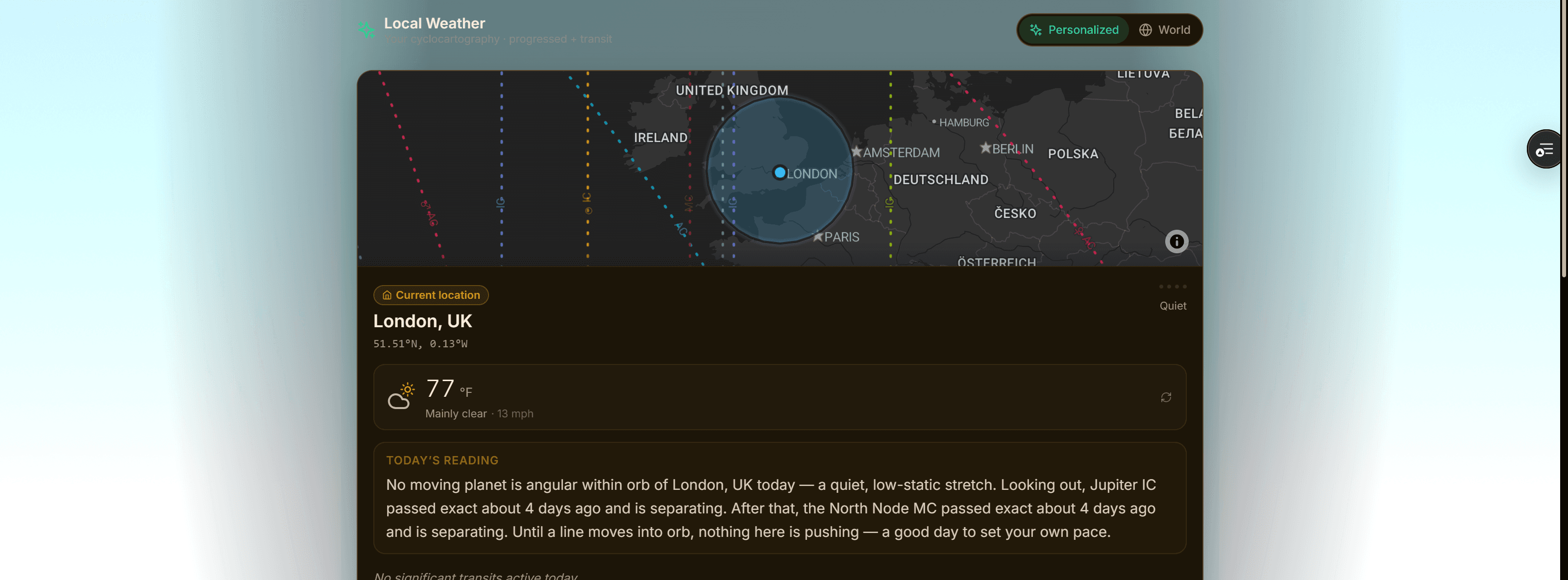
Extra places you're watching appear under Watched Locations, each flagged with the day's quiet read — "Calmest sky today" in Astro, "Easiest place to hear your Authority today" in HD.
Personalized or World
The one real switch here is Sky source, in the Local Weather header:
- Personalized — your cyclocartography: progressed + transit motion against your chart. This is what powers Personal Hits.
- World — the live transit sky, the same for everyone, with no personal anchor (so Personal Hits drop away).
Everything else — the date stepper, the Global Sky expand, the transit-wheel toggle — is a disclosure, not a mode switch. (On a free plan the date stepper is locked to today.)
Astro vs Human Design
Mode follows the lens you chose on the map. In Human Design, Conditions adds your type/profile/authority pills, reads the live World sky (no progressions), and shows Today's Transits — a gate-and-line grid with a Conditioning today summary of which of your open gates the sky is activating, always landing on your Authority. The language is deliberate: the sky conditions your open gates, it doesn't override your design.
[!TIP] New to this? Read Global Sky first for the day's headline, then drop into Local Weather and compare your places — the calmest-sky flag is the fastest way to pick where to lean in today.