Filter Controls
Every knob for the map — line filters, planet and angle toggles, theme selection, and heatmap controls — on both desktop and mobile.
Filter Controls
The map shows a lot at once. The controls let you narrow it to exactly what you care about: which bodies draw lines, which angles they reach, which life theme colors the field, and how the heatmap renders. Desktop spreads these across the chrome; mobile folds them into a few sheets you pull up.
[!NOTE] Some controls need Premium — every theme but Love, the channel mix and planet weights, categorical "Color by," 3D, Anti-Field, and Lilith and the asteroids (Chiron, the Lunar Nodes and Vertex are free). They show a lock and an upgrade prompt on a free plan. Everything essential to reading your map is free.
Astro or Human Design
The whole map runs in one of two lenses. On desktop, switch with the
Astro / HD tabs under the top nav. On mobile, use the Lens switch —
Astrocartography / Human Design — in the hub (the ELA avatar, top-left).
The lens choice carries over to /places (My Places) and /today, so set it here.
Finding places and themes
LocationSearch is the search pill at the top.
- Desktop — type to search places, or type
/to browse Explore by Theme. When a theme is on, the pill grows a theme chip (emoji + name) that opens the theme card, plus an X to clear. - Mobile — a two-row top bar: the ELA avatar (opens the hub) · the search pill (tap to expand full search) · a Layers button.
Line filters, planets & angles
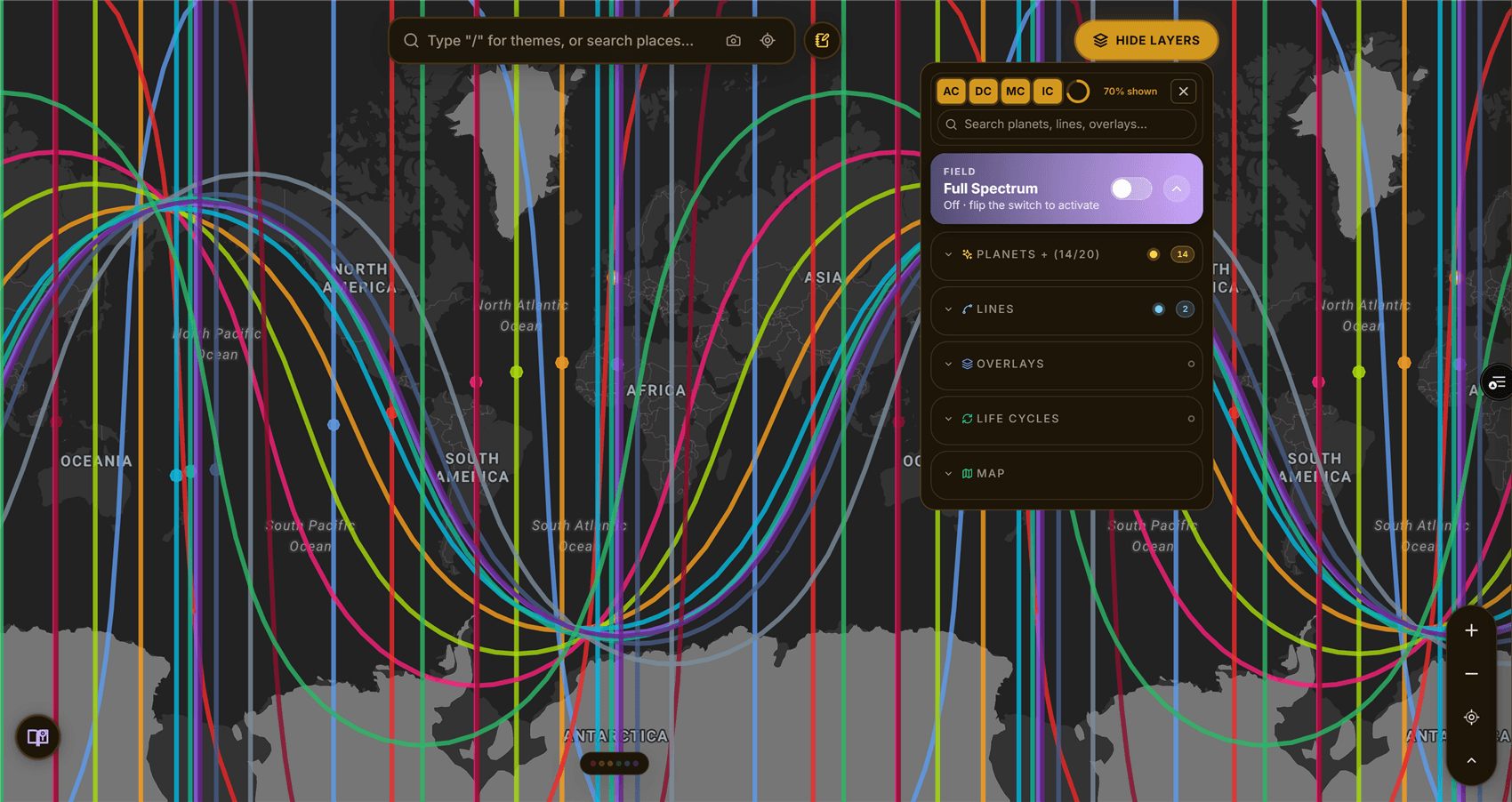
Planetary lines — turn individual bodies on or off (Sun, Moon, planets, nodes, asteroids, Vertex). All / None / Classical quick-selects switch whole sets at once. Angles — the AC · DC · MC · IC pills decide which angle each body draws to (where it rises, sets, culminates overhead, or sits underfoot). These are the map's line codes — the same four angles that appear in your birth chart as the Ascendant, Descendant, Midheaven, and IC.
-
Desktop — bodies and angles live in the granular layer controls; the bottom filter tray adds popovers for Element (Fire/Water/Air/Earth), Dignity (Strong/Weak/Peregrine), Sect (Day/Night), and Aspect (All/Flow/Tension) when aspect lines are showing. A Clear (n) button resets active filters.
-
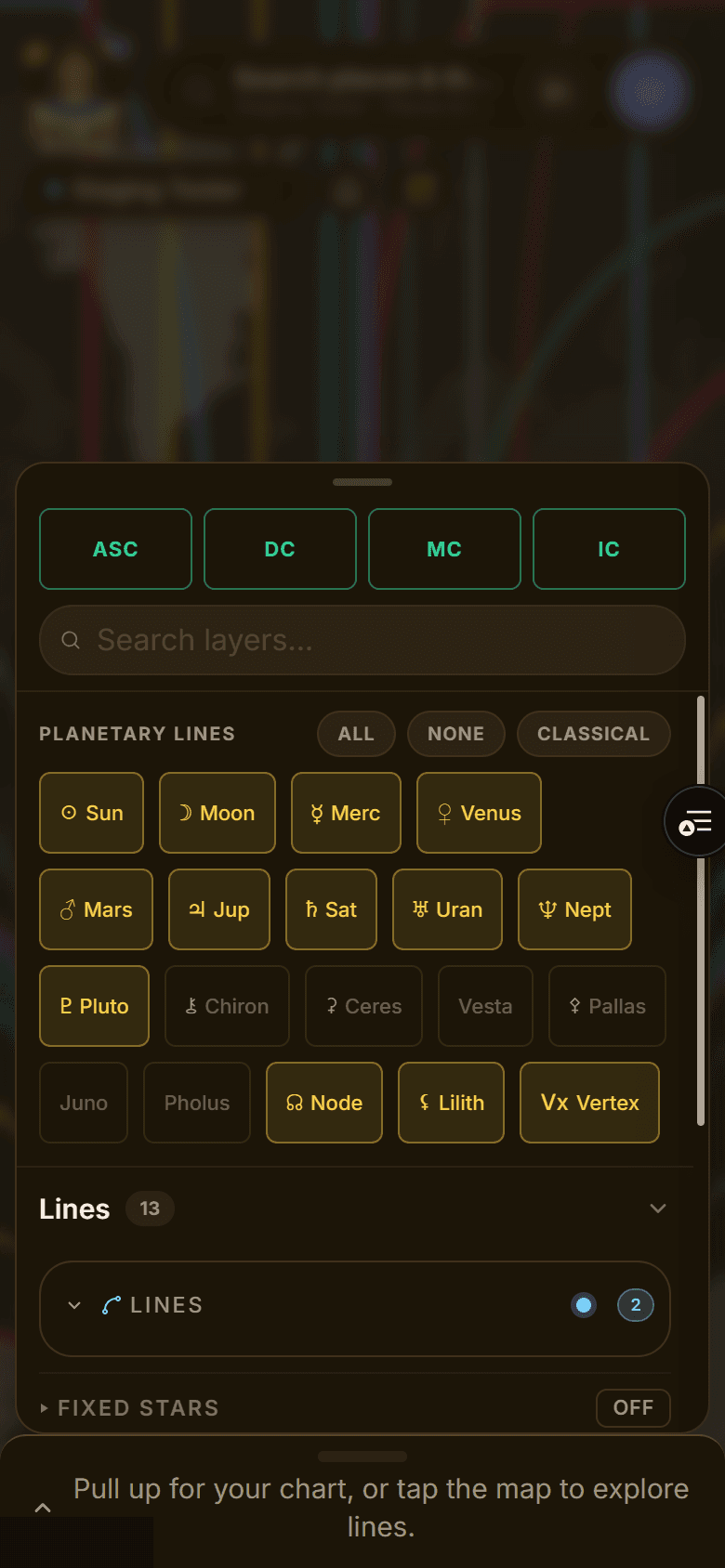
Mobile — the Layers sheet leads with planets: angle pills up top, a Search layers… field, glyph chips per body, then disclosure sections for Lines, Filters, Overlays, Basemap, and Display (Line Labels, Edge Labels, Map Labels, Terrain, Geodetic Grid). The Filters row opens a Filters sheet with the same Element / Dignity / Sect / Aspect groups and a Clear all.
Themes & the field
A theme (e.g. Love, Career) paints a heatmap "field" over the map, tinting places by how strongly your lines converge there. Free plans unlock Love; the rest show a lock.
- Desktop — pick a theme from search (
/), then open the theme card from the pill chip. It floats and drags. Show switches Heat / Lines / Both, and Switch life theme changes it in place. In HD mode the canonical field is the Expression Field. - Mobile — when a theme is active a theme FAB (sparkle + theme name) appears top-right. Tap it for the theme sheet: Show (Heat/Lines/Both), an Element row (All/Fire/Earth/Air/Water), and the same style controls.
Heatmap style
Inside the theme card or sheet:
- Visualization — Circles, Heat (smooth density), or 3D (Premium).
- Color by — Intensity by default; Premium adds categorical colorings that swap in a legend.
- Appearance (Premium) — Opacity, Field Strength, Score Floor, and Spread (Tight/Balanced/Wide).
- Anti-Field (astro) — flips the field to surface where your lines go quiet instead of loud; filter All / Clean / Tension.
- Channel mix / Planet weights (Premium, under Tune) — mix the scoring channels (Angular, Dignity, Aspect, Crossings, Zenith, Midpoint) or weight individual bodies to tune what the field rewards. A seventh channel, House Rulers, is always scored and shows in each place's score breakdown.
[!TIP] Start with Heat + Intensity on a single theme. Add channels, element focus, or Anti-Field only once the plain field tells you where to look.