Start Here: Your First Ten Minutes with ELA Map
A friendly, no-jargon introduction to ELA Map. Learn what the lines are, the three moves that unlock the whole app, and where to go when you want to learn more.
Welcome. Read this page first if you're new to ELA Map and to the practice behind it. Spend ten minutes here, and the rest of the app will make sense on its own.
What you're looking at
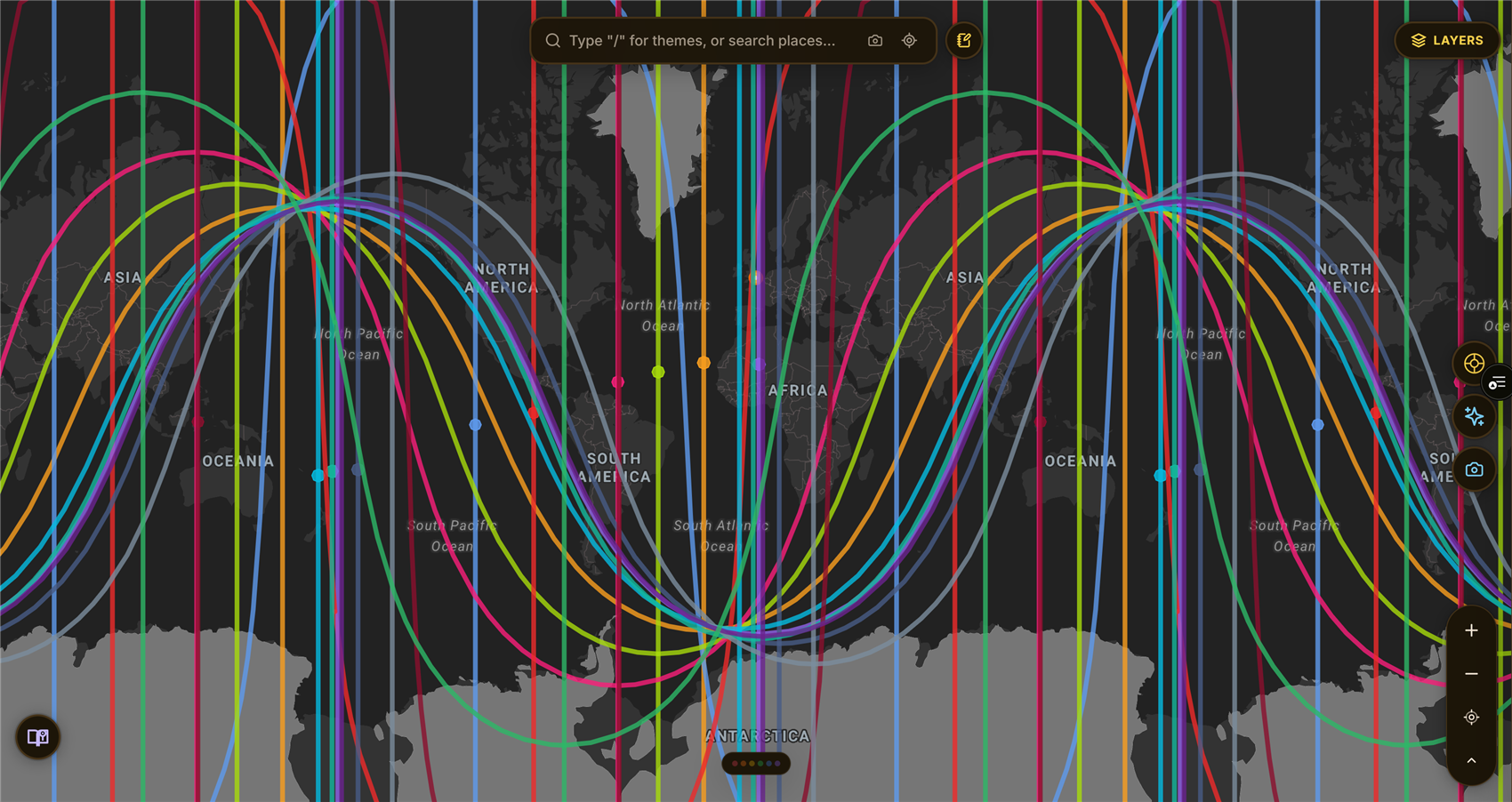
The moment you were born, every planet held one exact position in the sky. ELA Map takes that snapshot, your birth chart, and lays it over the Earth. Each planet becomes a set of colored lines across the globe. These lines show where the planet would have been rising on the horizon, setting, directly overhead, or directly underfoot at the moment you were born.
The old name for this practice is astrocartography. In simple terms: your chart, as geography. A place isn't just a place anymore. It's a place with your Venus running through it, or a place a thousand miles from anything in your chart.
Keep one idea in mind: the map describes terrain, not verdicts. There are no "good" and "bad" lines. A Saturn line can be exactly the structure a life needs. Nothing here is a prediction or advice. ELA Map is for personal exploration, self-reflection, and entertainment. Think of it as a mirror, not an oracle.
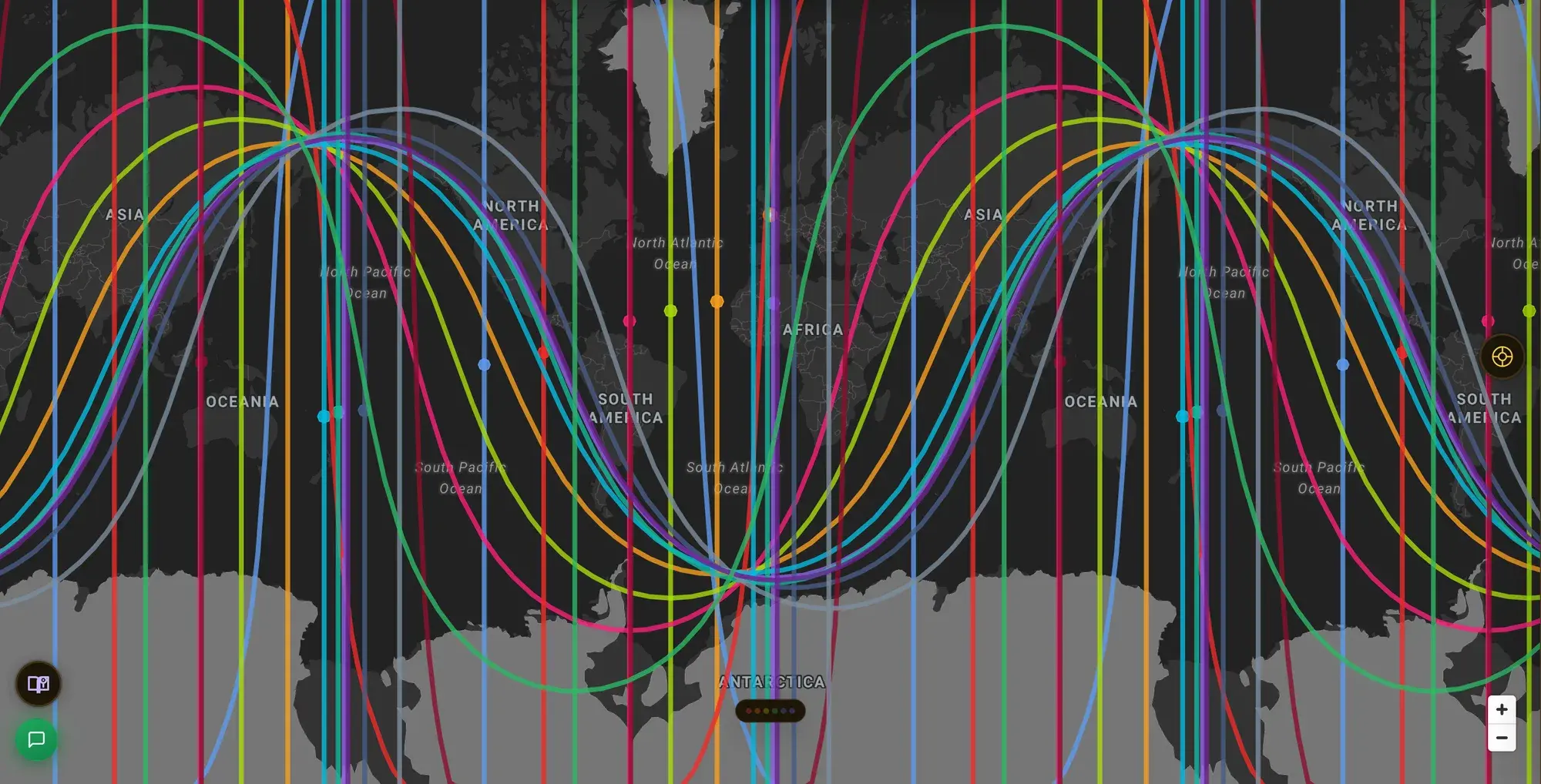
One chart, laid over the whole Earth. Every colored line is a planet from your birth sky, still exactly where it was.
The three moves
Everything in the app opens from three moves.
1. Double-click a place you know
Don't start with somewhere exotic. Start with somewhere you've lived: your hometown, the city you loved, or the one that never quite fit. Double-click it (press and hold on mobile). The Location Summary opens. It shows every line near that place, and a personalized reading of what each one means in your chart.
This is the fastest way to learn the language, because you already know the answer. If the map says a place carries your Moon's themes of home and belonging, you can check that against the years you actually spent there. Learn the vocabulary through your own experience first. Then point it somewhere new.
2. Turn on the heatmap
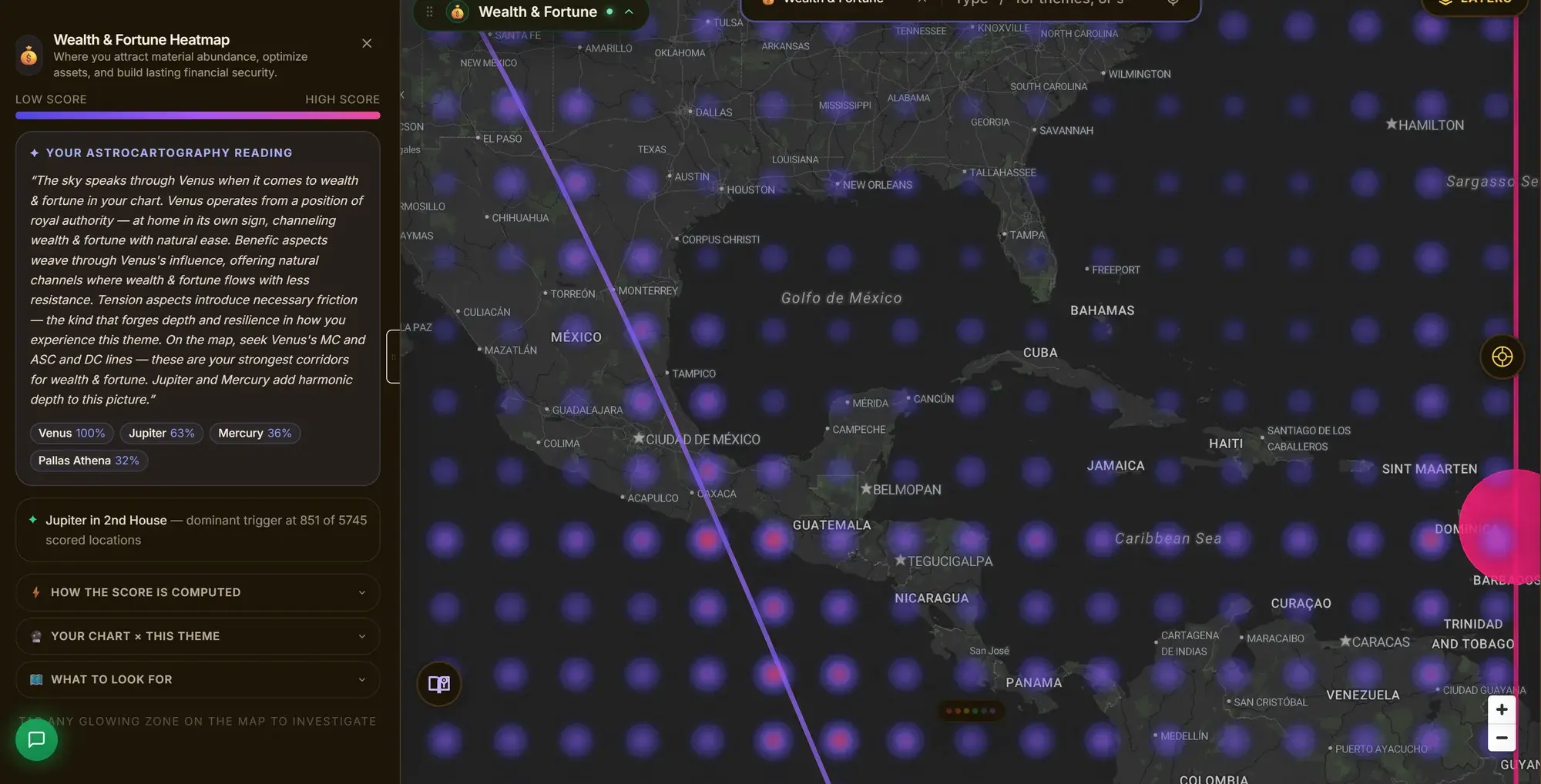
Lines are precise. The heatmap shows the big picture. Pick a theme, such as career, love, or wealth. The whole world re-colors, brighter where your chart offers more support for that theme. It blends every line, crossing, and angle into one view. Find it under Field, top right, or type a theme like /love into the search bar. (The full math is public. See how the heatmap works.)
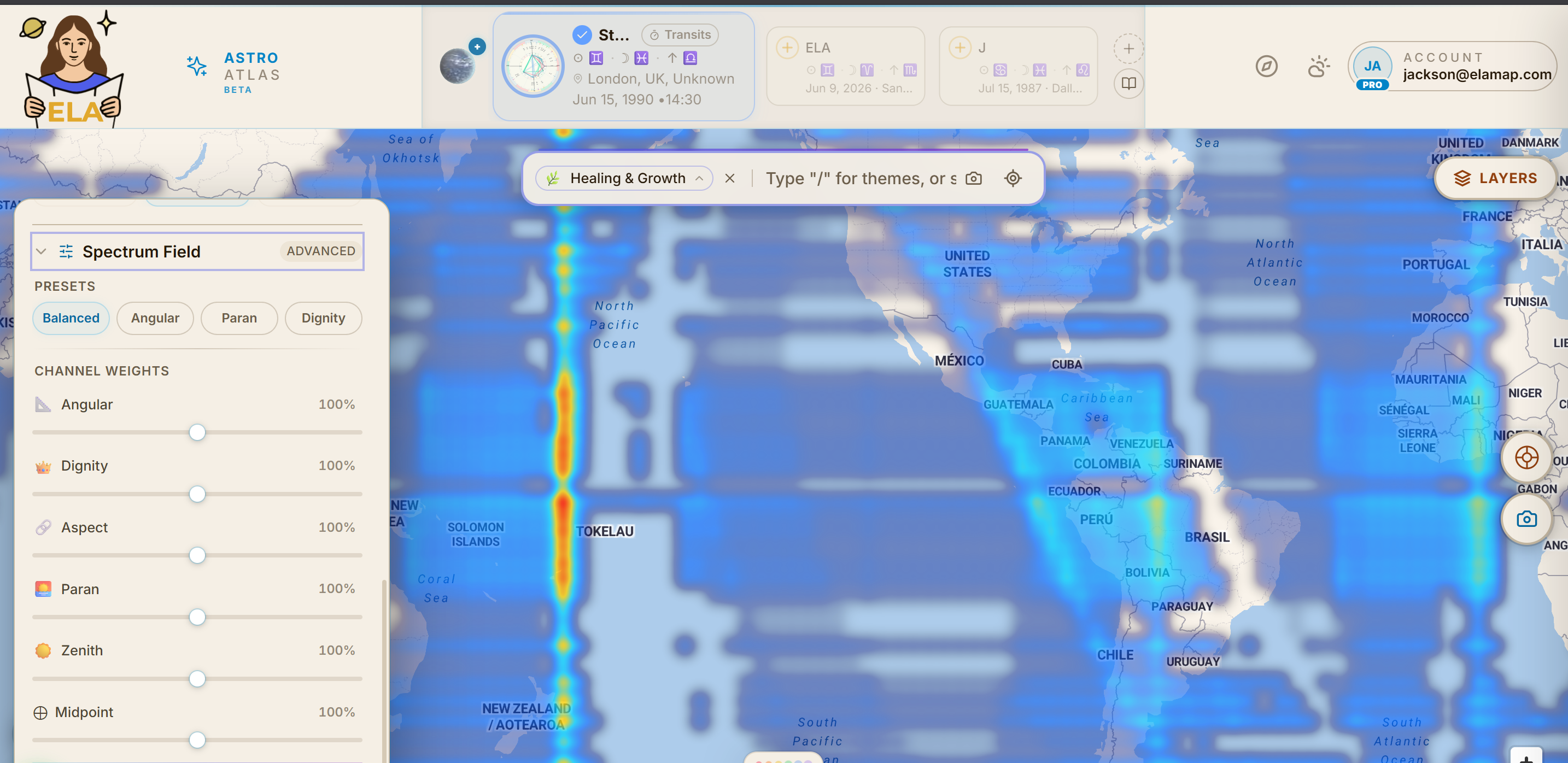
Pick a theme and the whole map re-colors. Every dial here is live. Nothing is fixed once you turn it on.
3. Ask "why?"
Everything on the map can explain itself. Hover a line and a tooltip names it. Tap a name and the reading opens. Every interpretation on the map comes from named, transparent astrological doctrine. It's assembled from a written corpus, not made up by an AI. (Your Today readings and Location Reports are compiled from that same interpretation library, refined by AI.) When you want the source, it's always one tap deeper.
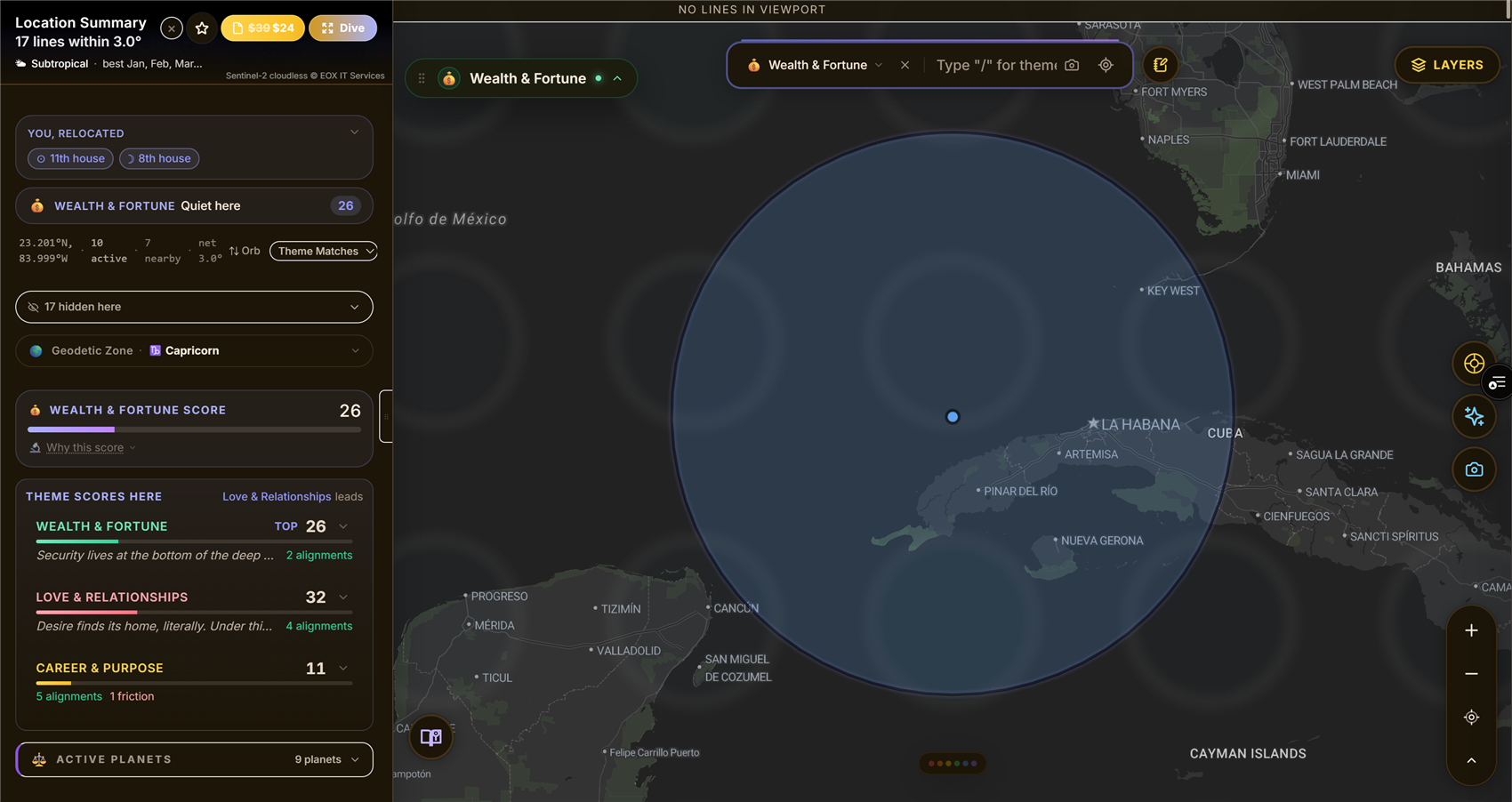
Tap anything and the receipt is right there: the planet, the house, and what it's actually contributing.
Five words you'll meet
- Line: where one planet sat on one of the four angles at your birth, traced across the Earth.
- The four angles: AC rising (how you lead), DC setting (what arrives through others), MC overhead (your public, visible life), IC underfoot (your private, rooted life).
- Crossing: where two of your lines intersect, two planetary themes sharing one location.
- Heatmap: all of it blended into one theme-colored view of the world.
- Human Design Mode: a second lens on the same map, using the Human Design system's gates and channels. Switch to it with the Astro · HD toggle next to the logo when you're curious. It introduces itself.
Everything else lives in the glossary.
Where to go deeper
When a ten-minute orientation stops being enough:
- Astrocartography: The Complete Beginner's Guide: the full story of the practice, its history, and how to read a map well.
- The meaning of an astrocartography line: every planet, every angle, line by line.
- Human Design Astrocartography: the second system, from zero.
- The data and engine behind ELA Map: why the lines land where they land, computed from research-grade NASA/JPL data.
And if you ever want the guided walkthrough of the interface itself, open your account menu on the map and choose Replay tour.
Start with a place you know. The map gets personal fast.